20 AI Video Camera Movement Prompts for Cinematic Results
Master 20 AI video camera movement prompts—from pan and dolly shots to crane moves, rack focus, and dolly zoom—with practical use cases and examples.
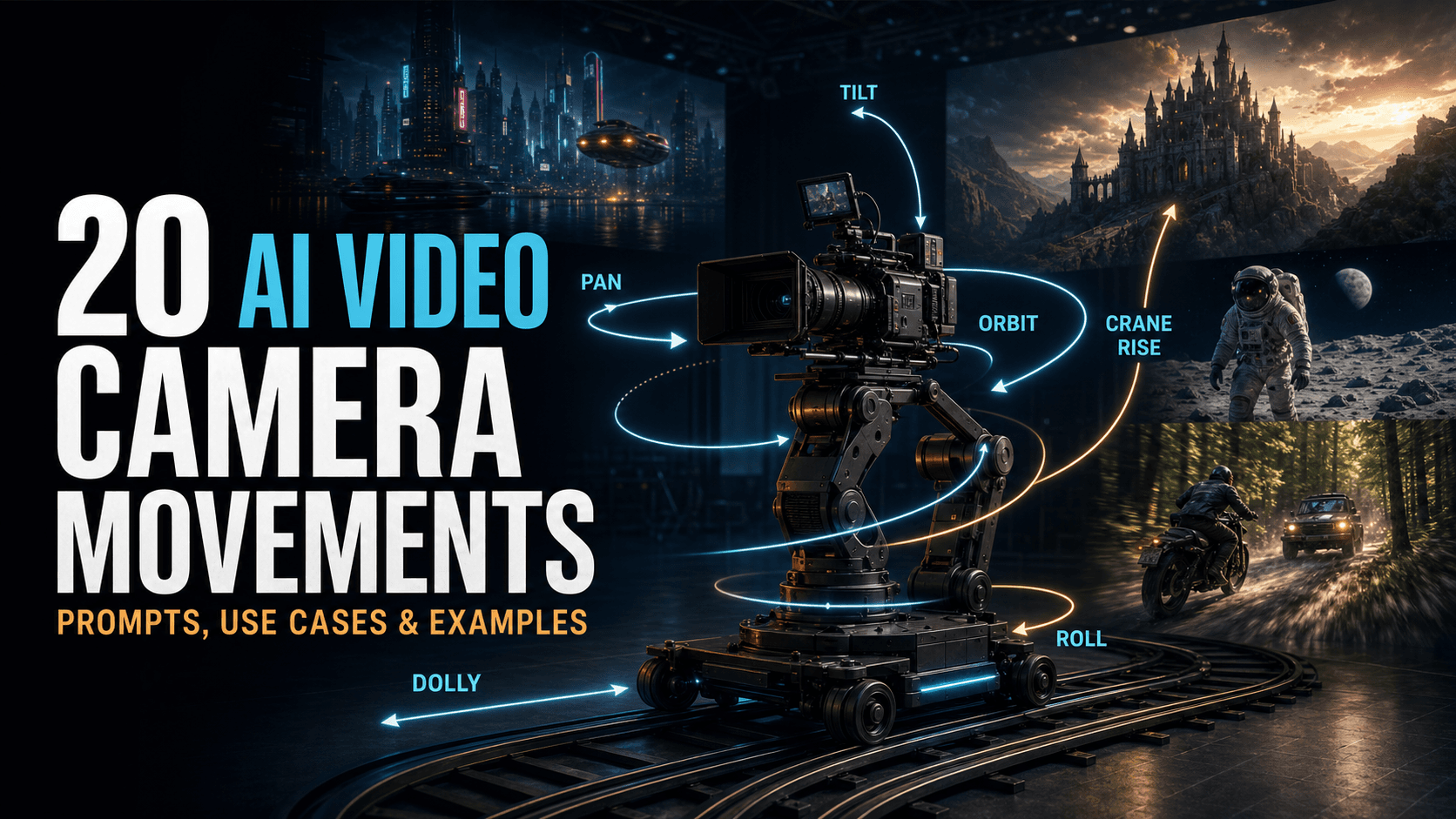
Strong AI video camera movement prompts can turn a static scene description into a shot that feels intentional, cinematic, and emotionally clear. Instead of adding vague phrases such as “dynamic camera,” describe exactly how the camera moves, what it follows, how fast it travels, and what the movement reveals.
This guide explains 20 useful camera movements for text-to-video and image-to-video generation. Each section includes copy-ready wording, the visual effect, suitable use cases, and an example prompt written entirely in English.
How to Use Camera Movement Prompts
Add one primary camera instruction to your existing scene prompt. A reliable structure is:
A reliable structure
[subject and action] + [environment] + [shot size and angle] + [camera movement] + [movement speed] + [lighting and visual style]
For example:
For example
A lone astronaut walks across a silent red desert at sunset. Wide shot, slow dolly out, keeping the astronaut centered as the vast Martian landscape is gradually revealed. Natural dust movement, long shadows, cinematic realism.
Avoid combining several incompatible movements in one short shot. “Locked tripod, handheld shake, fast orbit, crane rise, and dolly zoom” gives the model conflicting instructions. Start with one clear movement and add a secondary action only when it supports the same visual goal.

1. Pan Shot
Prompt variations: pan left, pan right, slow pan from left to right, smooth horizontal pan
Visual effect: The camera remains in one position while rotating horizontally, similar to turning your head from side to side. A pan is not the same as physically sliding the camera left or right.
Best for: Wide landscapes, long streets, scanning a room, following lateral movement, or revealing a second subject within the same environment.
Example prompt:
Pan Shot
A rain-soaked cyberpunk street at night, dense neon reflections and drifting steam. The camera slowly pans left to reveal a mysterious figure waiting inside a narrow alley, cinematic lighting, realistic atmospheric depth.
2. Tilt Shot
Prompt variations: tilt up, tilt down, slow vertical tilt, tilt upward from the base to the top
Visual effect: The camera stays in place while rotating vertically, like looking up or down.
Best for: Revealing tall buildings, giant trees, monuments, powerful characters, cliffs, shafts, or deep drops.
Example prompt:
Tilt Shot
A majestic fantasy castle at dawn. Begin on the massive weathered wooden gates, then tilt up slowly along the stone walls to reveal towering spires disappearing into the morning mist.
3. Zoom In
Prompt variations: slow zoom in, fast zoom in, gradual optical zoom toward the detail, tighten the frame with a slow zoom
Visual effect: The lens narrows its field of view, making the subject appear larger without physically moving the camera. Perspective changes less than it would during a dolly-in move.
Best for: Emphasizing a clue, isolating a facial expression, drawing attention to a small object, or creating sudden visual urgency.
Example prompt:
Zoom In
A detective notices an unusual object among scattered documents on a wooden desk. Slowly zoom in on an antique pocket watch as its cracked glass catches a narrow beam of light.
4. Zoom Out
Prompt variations: slow zoom out, zoom out to reveal, gradually widen the frame, rapid zoom out
Visual effect: The lens widens its field of view, making the subject appear smaller and revealing more of the surrounding scene.
Best for: Establishing scale, revealing context, ending a scene with loneliness or release, and transforming an intimate shot into an epic composition.
Example prompt:
Zoom Out
A lone astronaut stands motionless on Mars. Begin with a medium shot, then slowly zoom out to reveal an immense, empty red landscape stretching toward the horizon beneath a pale sky.
5. Tracking Shot
Prompt variations: tracking shot moving with the subject, track alongside the subject, tracking from behind, side-profile tracking shot
Visual effect: The camera travels with a moving subject while maintaining a relatively consistent distance and angle.
Best for: Running, walking, driving, cycling, corridor movement, chase scenes, and immersive character journeys.
Example prompt:
Tracking Shot
Tracking shot from behind a warrior sprinting through a burning forest. Maintain a consistent distance as sparks and ash move past the lens, urgent movement, cinematic firelight, realistic handheld energy.
6. Dolly In
Prompt variations: dolly in, slow physical push toward the subject, camera moves forward on a dolly, gentle push-in
Visual effect: The camera physically moves closer. Unlike a zoom, a dolly move changes the spatial relationship between the subject and background, creating noticeable perspective shift and parallax.
Best for: Emotional realizations, intimate dialogue, rising tension, important discoveries, and moments when the audience should feel drawn into the scene.
Example prompt:
Tracking Shot
Tracking shot from behind a warrior sprinting through a burning forest. Maintain a consistent distance as sparks and ash move past the lens, urgent movement, cinematic firelight, realistic handheld energy.
7. Dolly Out
Prompt variations: dolly out, slow physical pullback, camera moves backward away from the subject, gradual pull-out
Visual effect: The camera physically retreats, expanding the visible space and increasing the subject's separation from the viewer.
Best for: Isolation, emotional loss, environmental revelation, endings, and scenes in which a character appears overwhelmed by the world around them.
Example prompt:
Dolly Out
A grieving man sits alone on a park bench in heavy rain. Slowly dolly out while keeping him centered, revealing the empty path, dark trees, and distant city lights surrounding him.
8. Arc Shot or Orbit Shot
Prompt variations: arc shot around the subject, orbit clockwise around the subject, 180-degree orbit, slow 360-degree orbit
Visual effect: The camera moves along a curved path around the subject, creating changing background perspective and strong parallax.
Best for: Hero moments, transformations, romantic highlights, product reveals, vehicles, costumes, and dramatic character introductions.
Example prompt:
Arc Shot or Orbit Shot
A samurai draws a glowing sword on a windswept mountain ridge. The camera performs a slow 180-degree clockwise orbit around him as clouds move across an epic fantasy landscape, dramatic rim light, controlled cinematic motion.
9. Aerial or Drone Shot
Prompt variations: aerial shot, high-altitude drone view, drone flying over, top-down aerial pass, low drone flight
Visual effect: The scene is viewed from an elevated moving camera, often with a wide field of view and large-scale environmental context.
Best for: Establishing locations, city skylines, rivers, coastlines, mountains, battle formations, roads, and large crowds.
Example prompt:
Aerial or Drone Shot
A cinematic drone shot flies over a vast medieval battlefield at sunrise. Thousands of soldiers form organized lines across the valley as banners move in the wind, atmospheric haze, realistic scale and depth.
10. Handheld Camera
Prompt variations: handheld camera, subtle handheld movement, restrained camera shake, urgent documentary-style handheld footage
Visual effect: Small irregular movements reproduce the instability of a human-operated camera. The amount of shake should match the action.
Best for: Documentary realism, war scenes, horror, street footage, fights, emergencies, and emotionally immediate moments.
Example prompt:
Handheld Camera
Handheld camera follows a soldier moving through a muddy trench during World War II. Restrained camera shake, uneven footsteps, dirt striking the lens, overcast daylight, raw documentary realism.
11. Whip Pan
Prompt variations: whip pan right, rapid whip pan left, fast horizontal transition with motion blur, snap pan toward the action
Visual effect: The camera rotates horizontally at high speed, producing strong directional motion blur between the starting and ending subjects.
Best for: Fast transitions, sudden attacks, action reveals, comedic timing, and connecting two events without a conventional cut.
Example prompt:
Whip Pan
A martial artist delivers a powerful punch. Whip pan rapidly to the right with strong directional motion blur, landing on the villain crashing into a concrete wall as dust erupts around him.
12. POV Shot
Prompt variations: POV shot, first-person perspective, subjective camera, first-person running view
Visual effect: The camera represents a character's eyes. Hands, tools, or weapons may enter the frame to strengthen the first-person illusion.
Best for: Running, hiding, climbing, exploration, games, panic, direct interaction, and highly immersive sequences.
Example prompt:
POV Shot
First-person POV running through a dark stone maze while holding a flickering flashlight. The beam jumps across wet walls, breath is visible in the cold air, urgent footstep motion, immersive horror atmosphere.
13. Crane or Jib Shot
Prompt variations: crane shot rising above the scene, jib shot, camera lifts smoothly from ground level, descending crane shot
Visual effect: The camera moves vertically through physical space, often combining height change with a gentle forward or backward path.
Best for: Opening scenes, crowd reveals, celebrations, emotional conclusions, environmental scale, and transitions from individual experience to a larger world.
Example prompt:
Crane or Jib Shot
A lively village festival at sunset. Begin at eye level among the dancers, then use a smooth crane shot rising above the crowd to reveal lanterns, musicians, and the entire town square.
14. Dutch Angle
Prompt variations: Dutch angle, tilted horizon, heavily canted camera, subtle Dutch tilt
Visual effect: The camera rolls off level, causing the horizon and vertical lines to lean diagonally.
Best for: Unease, instability, paranoia, psychological collapse, villain reveals, surreal moments, and thriller imagery.
Example prompt:
Dutch Angle
A long Victorian hallway with flickering wall lights and peeling wallpaper. Use a pronounced Dutch angle with a heavily tilted horizon, slow forward movement, oppressive shadows, unsettling psychological-horror mood.
15. Over-the-Shoulder Shot
Prompt variations: over-the-shoulder shot, OTS shot, camera positioned behind the character's shoulder, reverse over-the-shoulder angle
Visual effect: The camera frames one character from behind while focusing on the person or object they face. Part of the foreground shoulder or head remains visible.
Best for: Dialogue, confrontation, negotiation, interviews, discoveries, and clearly establishing spatial relationships.
Example prompt:
Over-the-Shoulder Shot
Over-the-shoulder shot from behind a man speaking to a mysterious woman across a dimly lit bar. His shoulder remains softly out of focus in the foreground while her expression stays sharp.
16. Rack Focus
Prompt variations: rack focus, shift focus from foreground to background, pull focus to the distant subject, focus transitions from background to foreground
Visual effect: The framing remains largely unchanged while the focal plane moves between subjects at different distances.
Best for: Revealing threats, redirecting attention, connecting two visual ideas, or changing the subject of a shot without cutting.
Example prompt:
Rack Focus
Close composition with a smoking handgun in the foreground and a man standing behind it. Rack focus smoothly from the gun to the man's shocked face, realistic lens breathing, tense cinematic lighting.
17. Dolly Zoom or Vertigo Effect
Prompt variations: dolly zoom, Vertigo effect, camera dollies backward while zooming in, camera pushes forward while zooming out
Visual effect: The camera physically moves while the lens zooms in the opposite direction. The subject remains approximately the same size while the background appears to stretch or compress dramatically.
Best for: Shock, fear, sudden realization, disorientation, altered perception, and moments when a character's understanding changes instantly.
Example prompt:
Dolly Zoom or Vertigo Effect
A detective realizes he is trapped inside an endless hotel corridor. Perform a dramatic dolly zoom: move the camera backward while zooming in, keeping his face the same size as the corridor stretches rapidly behind him, precise centered composition, thriller lighting.
18. Low-Angle Shot
Prompt variations: low-angle shot, looking up at the subject, worm's-eye view, ground-level upward angle
Visual effect: The camera looks upward from a position below the subject, exaggerating height, scale, and dominance.
Best for: Heroes, villains, monuments, robots, towering architecture, intimidating figures, and powerful product reveals.
Example prompt:
Low-Angle Shot
Ground-level low-angle shot looking up at a giant mecha robot standing among city ruins. The robot towers against storm clouds as dust falls from damaged buildings, immense scale, dramatic backlight.
19. High-Angle or Bird's-Eye Shot
Prompt variations: high-angle shot looking down, steep overhead angle, bird's-eye view, top-down shot
Visual effect: A high-angle shot looks down from above, while a true bird's-eye or top-down shot is usually much steeper and may point almost directly toward the ground.
Best for: Vulnerability, isolation, entrapment, crowd patterns, choreography, maps, table layouts, and geometric composition.
Example prompt:
High-Angle or Bird's-Eye Shot
Steep high-angle shot looking down at a lost child standing still inside a fast-moving crowd. Adults flow around the child in every direction, making the small central figure appear isolated and vulnerable.
20. Camera Roll
Prompt variations: slow camera roll, rotate the camera 90 degrees around the lens axis, continuous rolling camera, clockwise camera roll
Visual effect: The camera rotates around its forward viewing axis, causing the horizon and entire frame to turn. This differs from an orbit, where the camera travels around a subject.
Best for: Zero gravity, dreams, magical transformations, spatial disorientation, falling, altered reality, and transitions between worlds.
Example prompt:
Camera Roll
An astronaut floats through the interior of a damaged spacecraft in zero gravity. The camera performs a slow 90-degree clockwise roll as loose tools drift across the frame, cold emergency lighting, realistic weightless motion.

Quick Reference: Camera Movement Prompt Keywords
| Camera technique | Copy-ready prompt phrase | Primary effect |
|---|---|---|
| Pan | `slow pan from left to right` | Horizontal reveal |
| Tilt | `tilt up from the base to the top` | Vertical reveal |
| Zoom in | `slow optical zoom toward the detail` | Visual emphasis |
| Zoom out | `zoom out to reveal the environment` | Context and scale |
| Tracking | `tracking shot moving with the subject` | Immersion in motion |
| Dolly in | `gentle physical push toward the subject` | Intimacy and tension |
| Dolly out | `slow physical pullback` | Isolation and revelation |
| Arc / orbit | `180-degree clockwise orbit` | Heroic parallax |
| Aerial | `drone flying over the landscape` | Large-scale context |
| Handheld | `restrained handheld camera shake` | Realism and urgency |
| Whip pan | `rapid whip pan with directional blur` | Fast transition |
| POV | `first-person POV shot` | Subjective immersion |
| Crane | `crane shot rising above the scene` | Expanding scale |
| Dutch angle | `heavily tilted horizon` | Psychological unease |
| Over-the-shoulder | `OTS shot with foreground shoulder` | Dialogue relationship |
| Rack focus | `shift focus from foreground to background` | Attention transfer |
| Dolly zoom | `dolly backward while zooming in` | Shock and distortion |
| Low angle | `ground-level shot looking up` | Power and scale |
| High angle | `steep high-angle shot looking down` | Vulnerability |
| Camera roll | `slow clockwise roll around the lens axis` | Disorientation |
Tips for More Reliable AI Camera Motion
- Name one primary movement. Models usually perform better when the shot has a single dominant camera instruction.
- State the direction. Specify left, right, upward, downward, forward, backward, clockwise, or counterclockwise.
- Define speed. Use terms such as slow, gradual, controlled, sudden, rapid, or accelerating.
- Identify the target. Explain what the camera follows, approaches, circles, or reveals.
- Describe the ending frame. “Pan right to reveal the doorway” is clearer than simply “pan right.”
- Keep motion physically coherent. Dolly, zoom, orbit, and roll describe different operations and should not be treated as interchangeable.
- Use image references carefully. An image-to-video model may preserve the starting composition more strongly than a text-only model, limiting large camera movements.
- Test shorter shots first. Complex motion is easier to evaluate in a concise clip before expanding the sequence.
Frequently Asked Questions
What is the best camera movement prompt for cinematic AI video?
There is no single best movement. A slow dolly in works well for emotional tension, tracking shots suit moving characters, crane and aerial shots establish scale, and orbit shots create strong hero moments. Choose the movement that supports the story rather than adding motion for its own sake.
What is the difference between zoom in and dolly in?
A zoom changes lens magnification while the camera remains stationary. A dolly physically moves the camera through space, producing parallax and changing the perspective relationship between foreground and background.
Why does my AI video ignore camera instructions?
The prompt may contain too many conflicting moves, the requested motion may exceed the model's capabilities, or an input image may strongly constrain composition. Simplify the instruction, state one movement with direction and speed, and explain the intended ending frame.
Can I combine two camera movements?
Yes, when they form one coherent move. Examples include a tracking shot that gradually cranes upward or a dolly move paired with a controlled zoom for the Vertigo effect. Avoid stacking unrelated techniques without describing their sequence.
Are these prompts compatible with every AI video generator?
They use standard cinematography language and can serve as a general starting point. However, each model interprets camera motion differently, so phrasing, clip duration, reference images, and motion strength may need adjustment.